
Demystifying Website Heat Maps: A Complete Guide for Enterprise Buyers
But there's a tremendous amount of confusion out there about what heat maps actually measure and how they should be used. The truth is: most people that use heat maps are using them wrong.
It's no wonder people get confused; the maps all look the same – just a reddish-yellowish-bluish-green blob overtop of your website. The vendors in this space haven't made it any easier. In an effort to simplify their message, many are guilty of using overly vague terms to describe what they do, and there's no consistent naming conventions for the different types of heat maps.
In this post we'll try to shed some light on the topic so you get more value out of the maps you use, and know which kinds you actually need depending on your goals. We'll also point out common pitfalls and misunderstandings.
Let's begin with the #1 rule for you to know: Heat maps are nothing more than a method for visualising data, and there's zero insight until you understand what data you're visualizing.
It's incredibly important to internalize this concept. Heat maps aren't data, they present data. They're a way of color-coding numbers. A heat map can represent anything from the weather, to traffic congestion, to the energy efficiency of your house, etc.
In the context of websites, a heat map can also represent many different things: mouse movements, clicks, physical eye fixations (either fixation volume or duration), scrolling patterns, and more. You could be looking at a heat map that shows data collected during specific time frames, or an entire user session. You could be seeing data from all types of users, or just a specific subset. There are lots of variables and you need to have a very clear idea of which information you're getting, and which information you want.
For example, here are 3 different kinds of heat maps for the EyeQuant homepage:
As you can see, there are noticeable differences between them. The map on the left is from EyeQuant itself, and it shows which content is most likely to catch users' eyes when they first arrive on the page (note: this is actually simulated using an AI – more on that later). You'll notice people tend to see the headline, call to action, and product image right away.
The second map (from HotJar) shows where users' cursors were during their time on the page. You can see that many people hovered over the text and the links in the navigation, while other users moved their cursor to the side (on whitespace) so that it was out of the way. Here, we can gain a bit of insight into which content was most interesting for users.
Finally, the click map (also from HotJar) shows where people ultimately clicked. Seeing these 3 maps together shows a nice picture of the user experience: from what caught their eye initially, to which content was interesting, to what users ultimately decided to do.
Which one is most relevant? It depends entirely on what you're trying to accomplish. With that in mind, let's take a deeper look at the different kinds of heatmaps available.
This guide is thorough, so here's the roadmap in case you want to jump ahead:
- Mouse tracking heat maps: Click, Mouse-movement, Scroll
- Eye tracking heat maps: Professional lab, In-house lab, Remote
- EyeQuant maps: Initial attention heat map, Perception map, Clarity map
- What to use for: A major re-design, Building an analytics stack, Conversion Optimization Program
- A few final thoughts
Mouse Tracking Heat Maps
These are the most common category of heat map. You place some tracking code on your website, let it run for long enough to collect enough data, and you'll end up with some interesting insights into how users are using their mouse to interact with your website. There are 3 main types of mouse-based heat map you can get:

Click Maps
They show which parts of a page are most (and least) clicked; whether it's a link, photo, text, or even whitespace.
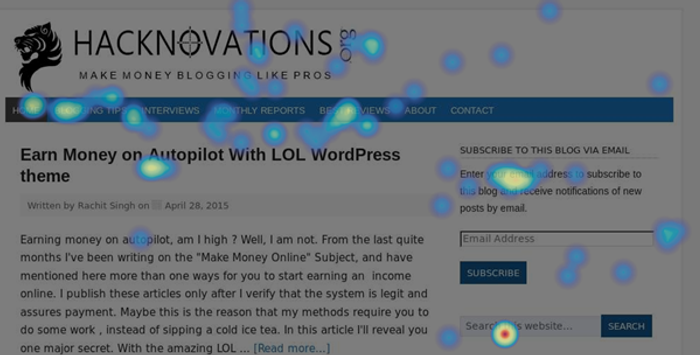
This click map from Hacknovations shows that visitors often clicked the search function and navigation panel.
Click maps are useful to visualize which links & buttons are most popular, but they're also useful for spotting some usability flaws. For example, you might occasionally find that people are clicking on something that doesn't link anywhere. This can indicate potential confusion about how to navigate the site. For example, people may click on a product image because they expect it will take them to a page with more information on that specific product. Once you've spotted them, problems like this are relatively easy to fix.
Many people also use click maps to understand where people drop-off when filling out forms. This can help you make some quick changes to the form fields to increase completion rates.
Mouse-Movement Maps
Also called "Hover Maps" or "Attention Maps", these heat maps identify parts of the screen that users hover over most with their cursor.
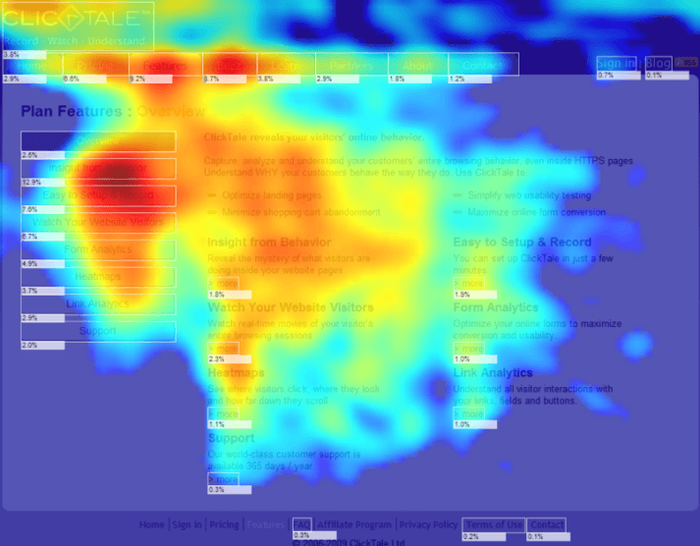
This mouse-movement heat map from Optimizely's blog shows that users tended to hover over the table on the left of the page, suggesting it was a useful feature.
These maps are interesting because many users tend to move their cursor to the part of the page that they're currently attending to. As a result, a mouse-movement map can help you understand which content people tend to find most relevant or interesting on your page.
Be careful not to over-generalize, though: there are also many users who are "parkers", meaning they leave their mouse in one spot regardless of which content they're currently interested in. For that reason, it's important to recognize that these maps don't tell the full story.
Vendors that offer these maps often liken them to eye tracking, despite a 2013 study by Google and Carnegie Mellon University which suggests that mouse tracking is a weak proxy for eye tracking, and not an appropriate substitute. A 2007 Google study explored the possibility of using mouse movement data to predict eye movements, but the researchers were only able to achieve 64% accuracy using this approach.
Scroll Maps
These are a great way to visualize how far most users are scrolling down a page, and which sections they spend the most time on.
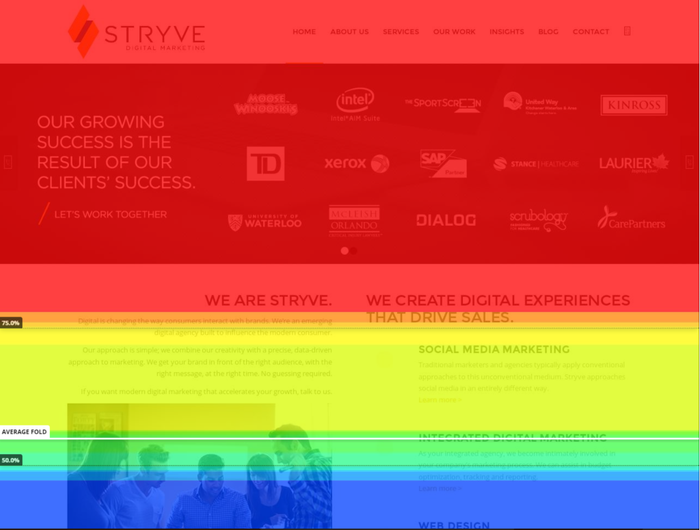
This scroll map shows that nearly half of users won't scroll far enough to immediately discover the full range of services offered by Stryve – that's useful insight for their team.
Scroll maps help you understand how much your users actually know about your products or services. It can be quite illuminating and a little bit distressing to find out that many users don't make it far enough down the page to absorb certain content.
Pros and Cons of Mouse Tracking Heat Maps
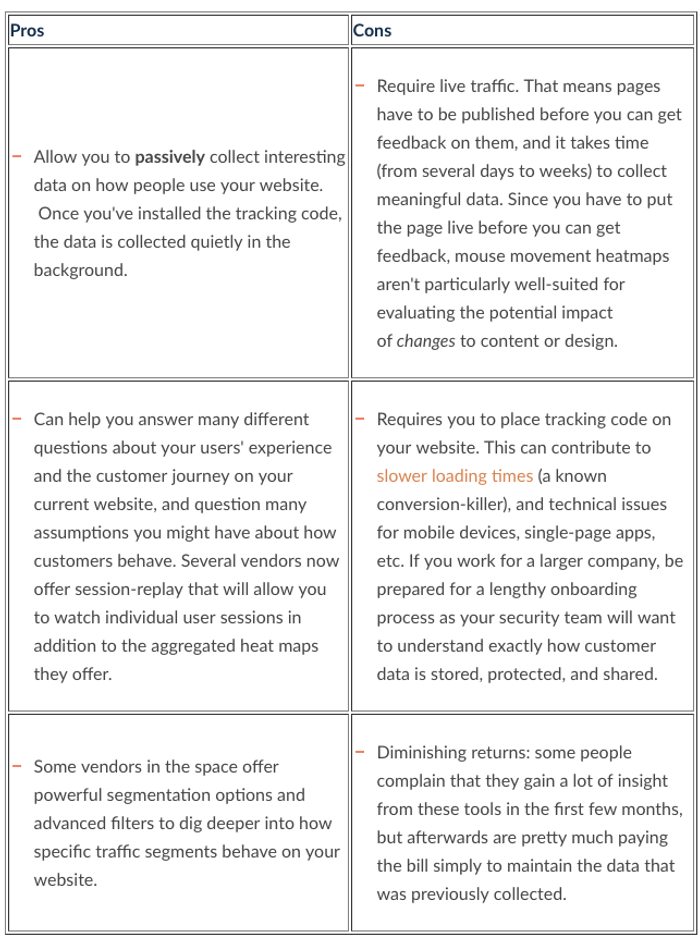
Top vendors for mouse tracking heat maps: Hot Jar, Crazy Egg & Clicktale seem to be the most popular choices in the space. Hot Jar is the newest of the 3, and has rapidly gained market share since it was founded in 2014. Crazy Egg is the most basic option, with a fairly limited but very affordable offering. Decibel Insight is another good option for enterprise buyers. Last but not least, TruConversion is an interesting new player in the space.
Eye Tracking Heat Maps
To truly understand how users actually look at your website, you can perform studies that involve measuring and recording the physical eye-movements of people using your website. The classical approach to this is lab-based, where participants in the study wear tracking devices that precisely measure each eye movement, although some vendors now offer a web-cam based approach as well.

When conducting physical eye tracking studies, you have the ability to gather lots of interesting data that can be visualized as a heat map. When dealing with eye tracking heat maps, it's incredibly important to understand exactly what you're looking at.
One major source of confusion is timeframe. A heat map showing how users look at the page during the first 3 seconds – while very valuable – won't look the same as one that spans 30 seconds.
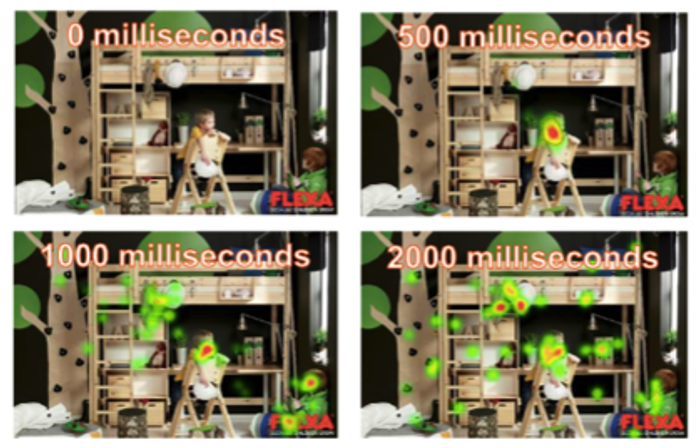
This example from IMOTIONS shows how fixations on the ad evolve over several different timeframes (from 0 to 2000 milliseconds).
Another common source of confusion with eye tracking heat maps is around the actual data being shown. There are 2 main types of heat maps in eye tracking, and they're very different. A fixation volume heat map shows which parts of the page attracted the highest number of eye fixations. Usually, a fixation is recorded every time a user looks in a single spot for more than 50 milliseconds, essentially measuring how often people looked at a particular piece of content. Meanwhile, a fixation duration heat map shows how long they looked in a particular spot.
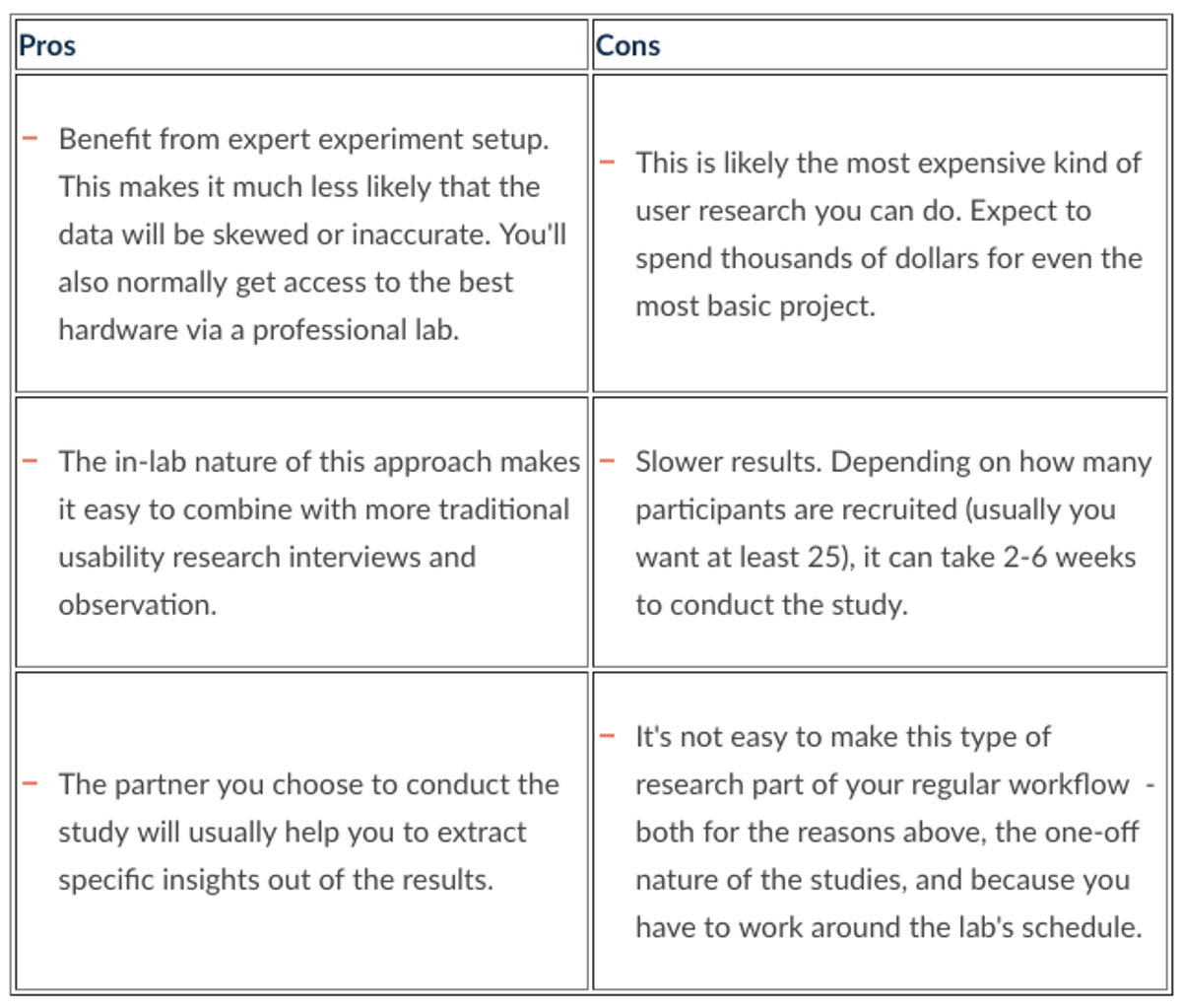
Professional Eye Tracking Labs
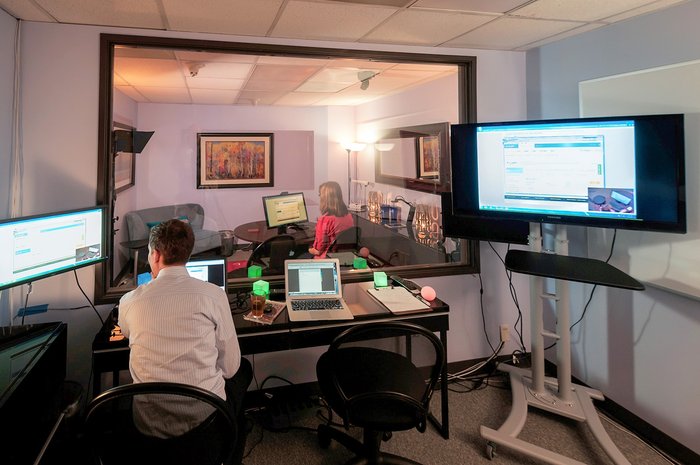
There are many user research labs that you can hire to run professional eye tracking studies with high grade hardware and expert experiment setup. This approach delivers the most precise results, and allows you to customize the different types of insights you'd like to get from the study.
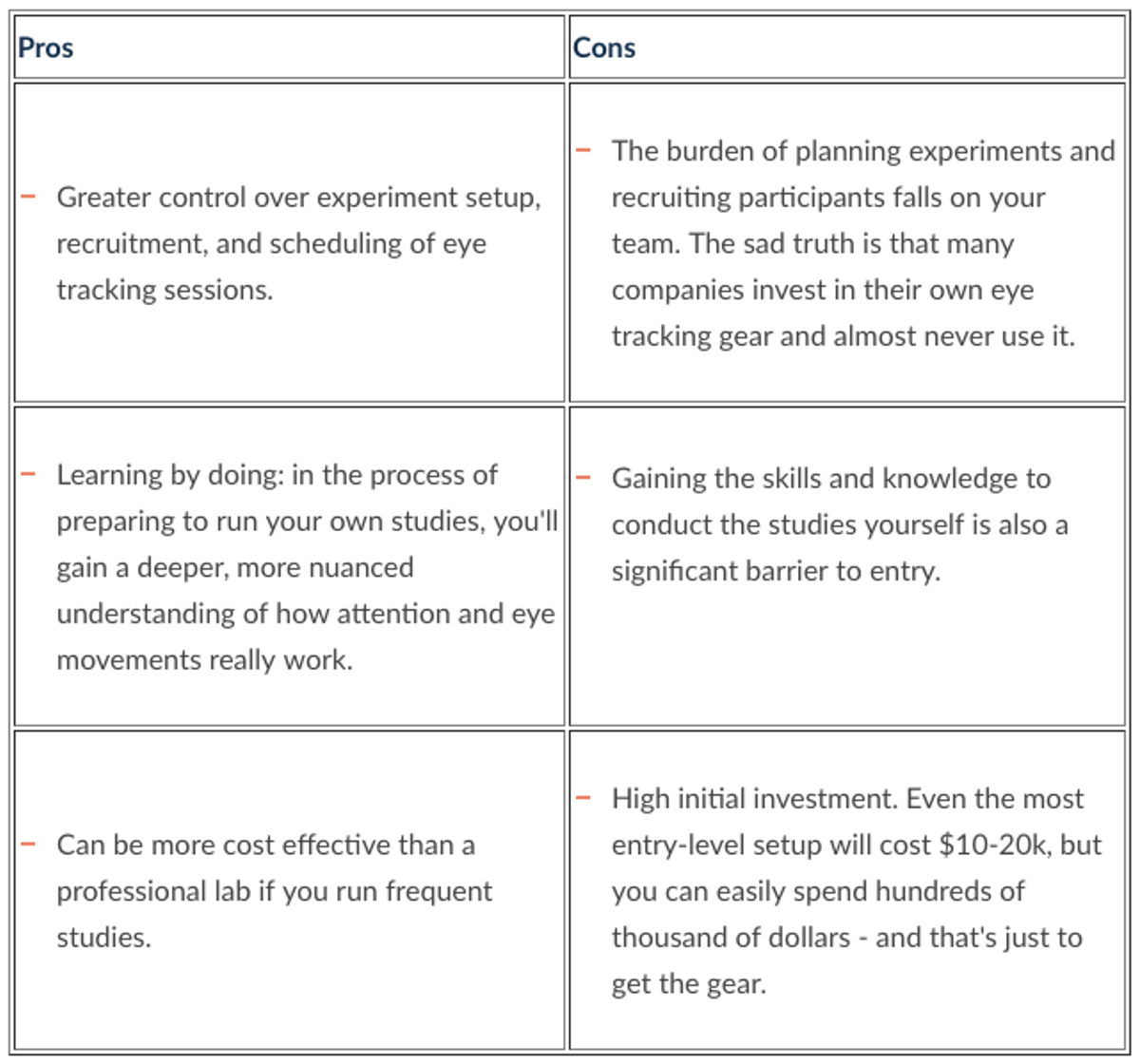
In-house Eye Tracking
There's a DIY option for eye tracking as well. The required hardware has become much more affordable in recent years, so it's entirely possible to buy your own gear and set up your own eye tracking studies.
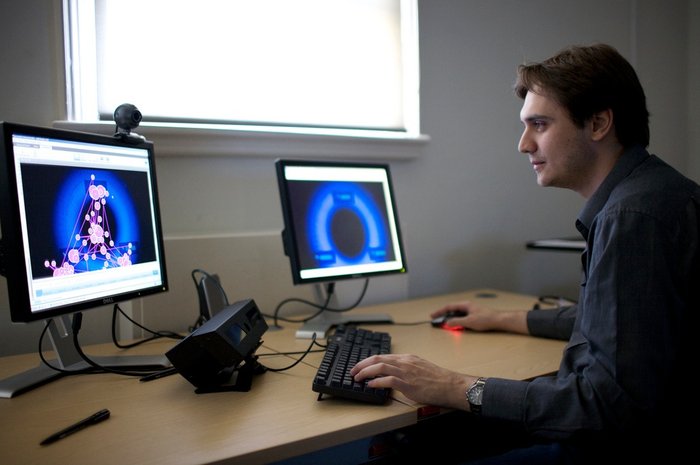
Top Vendor for Eye Tracking Gear: The leader in the space is Tobii, which offers a wide range of eye tracking hardware.
Remote Eye Tracking via Webcam
This approach doesn't use any professional gear at all, and allows you to crowdsource participants to have their eye movements tracked through their own webcam.

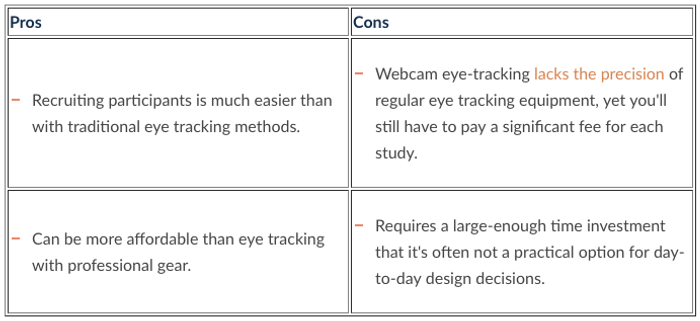
Top Vendor for Webcam Eye Tracking: Sticky is the leading vendor in this space.
EyeQuant Maps
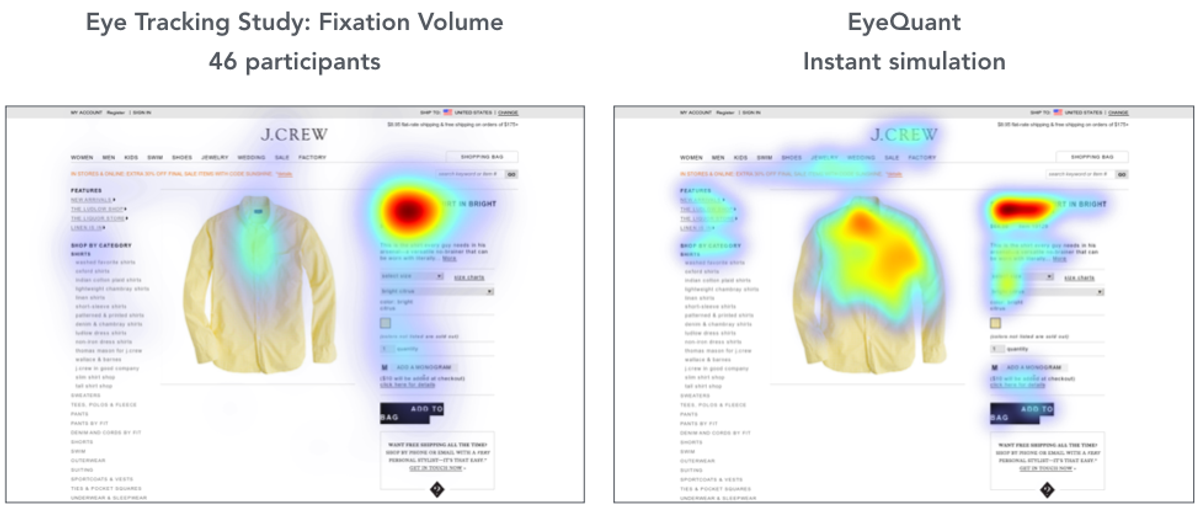
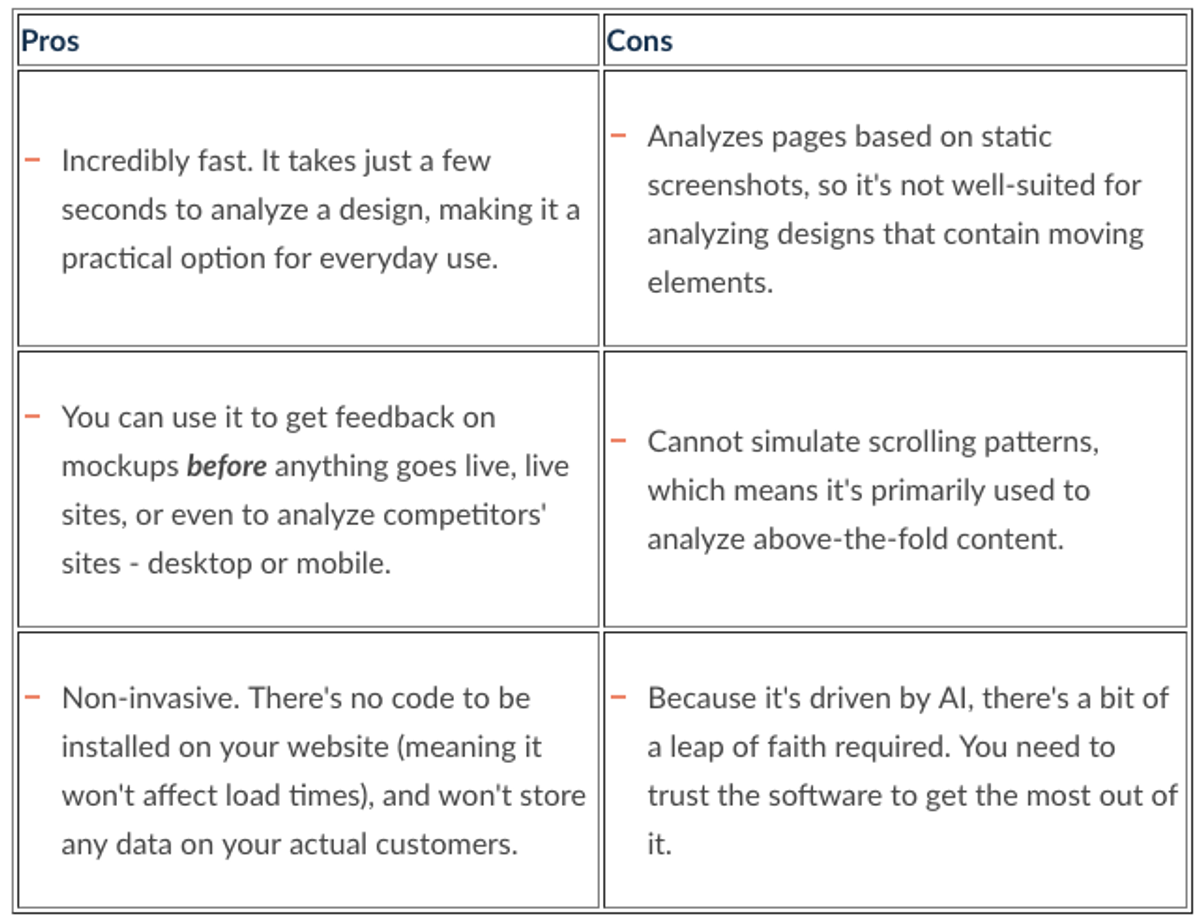
The heat maps we offer at EyeQuant are another popular approach to gaining insight on web design, which would have seemed like science fiction a decade ago. By applying machine learning algorithms to user research data, we've built an AI for design analysis that includes initial visual attention heatmaps. What's special about this approach is that you can get feedback on any design in a matter of seconds.
Initial Attention Heat Map
This map is the equivalent of a 3-second fixation volume eye tracking heat map with at least 25 participants. It shows which content is most and least eye catching for users when they first arrive. Armed with this map, it's easy to spot content that might distract users. The results from EyeQuant are 85-90% as accurate as lab-based eye tracking.
Perception Map
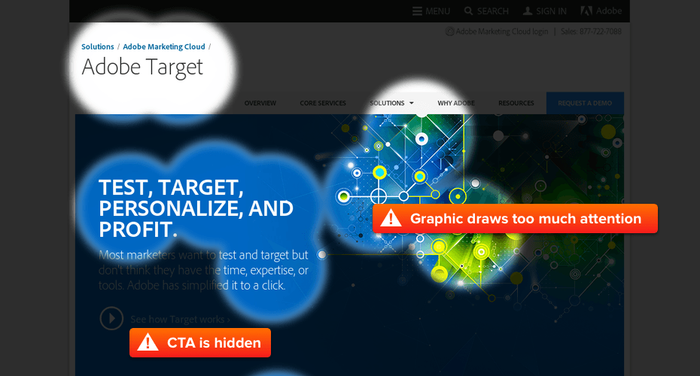
This visualization shows which content the EyeQuant AI expects people to see within 3 seconds of landing on the page (roughly covering the first 10 eye movements). This allows you to quickly and easily check if users will see the most important content on the page right away, or if they have to exert effort to find it.
Clarity Map
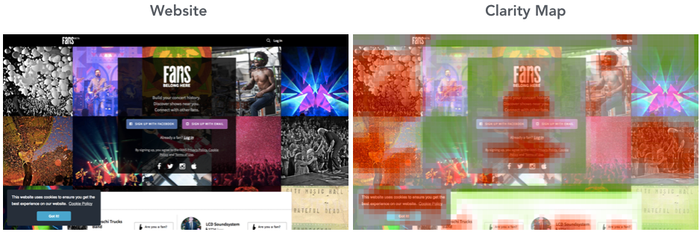
Clarity maps (also known as clutter maps) from EyeQuant show which parts of your design are most (and least) likely to be considered overly cluttered. This map is useful for spotting areas in a design that should be tidied up, removed, or redesigned.
Which ones you need depending on your goals
A Major Redesign
Professional eye tracking, EyeQuant
Nobody wants to invest a ton of time and money redesigning their website only to have it flop when launched. But it happens all the time: from Marks & Spencer, to Healthcare.gov, to the multiple failed re-designs of Target.com.
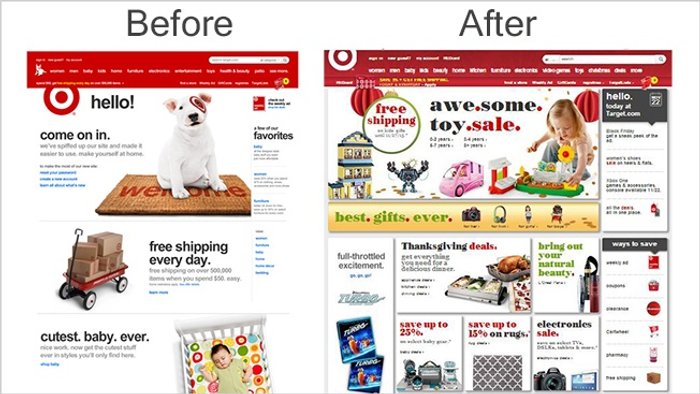
There is absolutely no excuse to ship a new website without doing some prior testing on it to validate the new design.
Building an Analytics Stack
Mouse tracking heat maps
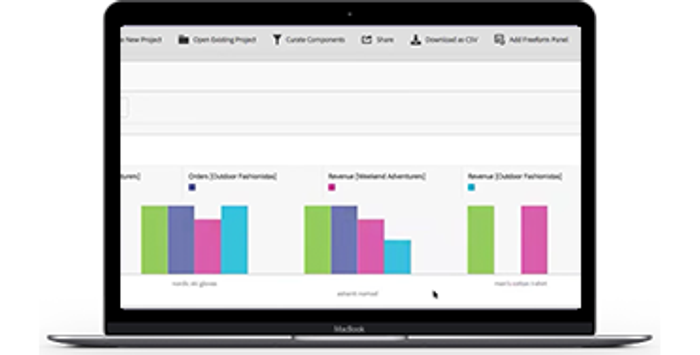
For this use case, mouse tracking heat maps (which passively collect data) are probably the best bet, while a specialized UX researcher might be more interested in the other methods we've looked at.
A Conversion Optimization Program
Mouse tracking heat maps, EyeQuant
Many companies now have a dedicated conversion optimization team that collects ideas for how to improve their website and conducts A/B tests in the hopes of increasing conversion rates.
A few final thoughts
Internet professionals have been using heat maps for years to learn incredible things about how users are interacting with their website. Here are a few important things to remember:
- The most important piece of the puzzle is understanding the data each heat map represents. Determine what you're trying to accomplish, then figure out which data is most relevant to help get you there.
- Think about your workflow: when do you need insights and how often? Some heat mapping tools are better suited for one-off projects, while others can be used everyday.
- It's not an either-or decision. World class digital teams often use several different types of heat maps in different parts of their workflow. You may need to look at using more than one vendor.